#software-architecture #dependency-injection #design-patterns #database-design #event-driven-architecture #api-design #testing #ci-cd #legacy-migration #backend-development #frontend-architecture #distributed-systems
Engineering for the Long Haul: What a Production ERP Codebase Teaches About Software Architecture
2026-08-06 · 45 min read
Introduction
Most software engineering advice comes from two places: textbooks that describe patterns in the abstract, and small side projects that never live long enough to show what happens when a system has to survive years of change while staying online. The most valuable lessons live in a third place — large, long-running production systems that started years ago, have been touched by dozens of engineers, and can never be taken down for a rewrite.
This article is built from exactly that kind of system: a large, multi-portal management platform for an education organization, running on a layered .NET backend, several ASP.NET web front ends, a handful of independent APIs, three different database technologies, and an event-streaming pipeline. Rather than describing what that specific system does, this piece treats its code as evidence — a way to observe, in a real production codebase, the engineering principles that separate systems that survive from systems that collapse under their own weight.
None of the concepts below are exotic. Every one of them is teachable, and every one of them shows up, in some form, in almost any backend system that grows past its first year. What follows groups the evidence into themes and explains, for each one, what it is, why it becomes a problem if ignored, where beginners typically go wrong, and the habits that experienced engineers fall back on instead.
1. The Dependency Rule: Why Layers Should Only Know About the Layer Below Them
What it is
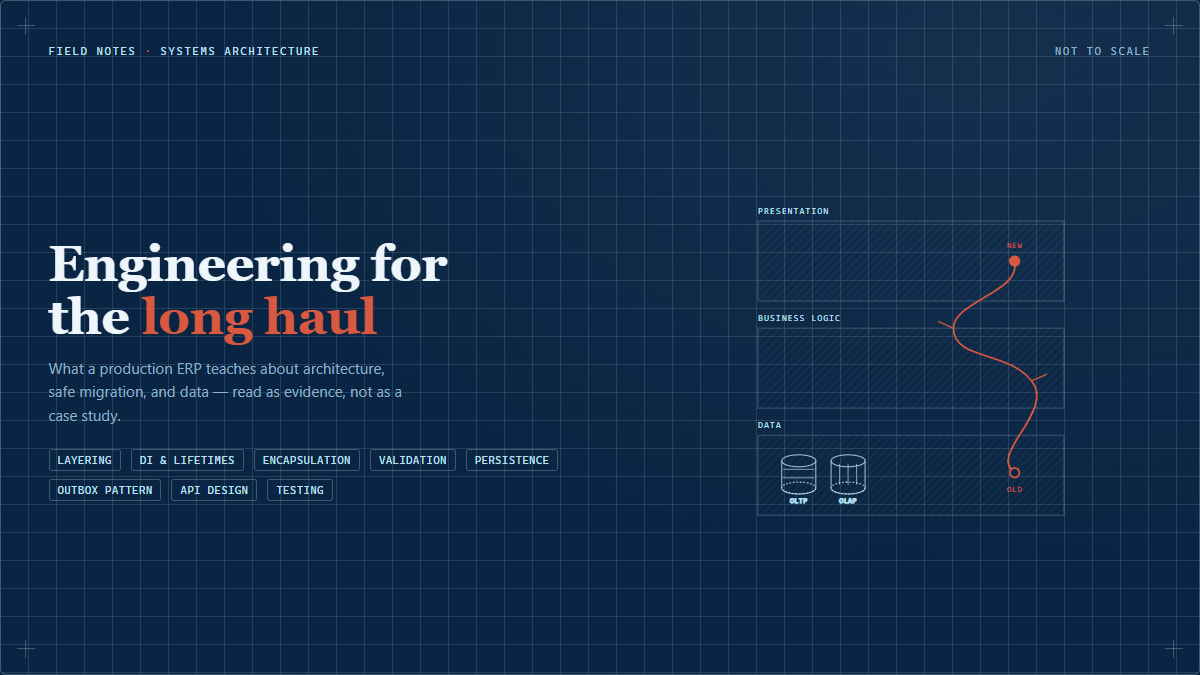
In a layered architecture, code is split into bands — say, a data-access band that talks to the database, a business-logic band that enforces rules, and a presentation band that renders pages or serves API responses. The "dependency rule" is simple: each layer is only allowed to depend on the layer directly beneath it, never sideways or upward, and never by skipping a layer.
The concrete mechanism for this in the codebase under study is the Repository Pattern: every data-access class exposes a narrow interface (ISomethingRepository) with methods like LoadById, Save, Search. The business-logic layer holds a reference to that interface — never to a raw database session, never to SQL — and the presentation layer holds a reference to a business-logic interface, never to the repository.
Why it becomes a problem
Without an enforced boundary, "shortcuts" accumulate. A developer under deadline pressure writes a raw database query directly inside a controller because it's three lines shorter than going through the proper service. It works. Nobody notices. Six months later, ten other developers have copied that shortcut because "that's how it's done here," and now database logic is scattered across fifty files instead of living in one place.
Common beginner mistakes
- Treating "it compiles and it's faster to write" as sufficient justification for skipping a layer.
- Believing layering is only about code organization, when its real value is controlling the blast radius of change — a schema change should only ripple through the repository layer, not the whole application.
- Exposing database entities directly to the outermost layer (the API or the UI) instead of translating them into a purpose-built shape. This is why, at an API boundary, data should travel through dedicated request/response objects — often called DTOs (Data Transfer Objects: "a plain object whose only job is to carry data across a boundary") — rather than the raw internal entity. A DTO means a column rename inside the database layer doesn't silently break every client of the API.
Better engineering approach
Pick one direction of dependency and enforce it structurally, not just by convention — for example, by putting the data-access layer in its own compiled package that the presentation layer's project simply cannot reference, so the mistake becomes a build error rather than a code-review nitpick.
How to recognize it early
Ask, for any file: "if I search this file for SQL, ORM session objects, or calls to another service, do I expect to find any?" A UI controller that directly constructs a database query is a sign the dependency rule has already been broken. Code review is the cheapest place to catch this — once merged, a shortcut becomes a precedent.
Broader lesson
Layering isn't bureaucracy — it's a deliberate reduction of the number of places a given kind of change has to touch. Its value isn't visible on day one of a feature; it's visible eighteen months later when a database migration only requires touching one layer instead of grepping the entire repository.
2. Migrating a Live System Without Breaking It: The Strangler Fig Pattern
This is the single most consistent lesson found across the codebase, and it shows up at two completely different layers of the stack using the same underlying idea — which is exactly what makes it worth teaching as one principle rather than two.
What it is
The "strangler fig" pattern (named after a vine that grows around a host tree, eventually taking over without ever felling the original tree in one violent act) replaces part of a system incrementally: the new implementation is built alongside the old one, entry points are switched over one at a time, and the old implementation is only removed once nothing depends on it anymore.
Two independent examples of this were found in the same codebase, built by different people, arriving at the same architecture:
- On the backend, service classes carry two constructors: a modern one wired through dependency injection (a pattern where an object's collaborators are handed to it from outside, rather than the object creating them itself), and a legacy one that constructs its own dependencies internally, kept purely so older call sites — a desktop application, code predating the DI container — keep working untouched. One such legacy constructor even carried a comment along the lines of "this will be removed after review," making the migration's intent explicit in the code itself.
- On the frontend, an entire generation of JavaScript/CSS libraries was upgraded by creating a parallel folder tree — new assets at a "V2" path mirroring the old path — while original assets stayed untouched. Pages were switched over one at a time, with the page's markup literally commenting out the old
<script>tag next to the new one, so the change (and the one-line revert) was visible directly in the file being changed.
Why it becomes a problem otherwise
A "big bang" cutover — deleting the old implementation and switching everyone to the new one at once — concentrates all migration risk into a single moment. If anything in the new implementation has a bug that only shows up under real production load, everything depending on the old code is affected simultaneously, and rolling back means reverting the entire change, not just the broken piece.
Common beginner mistakes
- Assuming a migration has to be "all or nothing" because that seems simpler to reason about. It's simpler to describe, far riskier to execute.
- Deleting the old code as the first step "to keep things clean," removing the safety net before the replacement has been proven in production.
- Migrating silently — swapping an implementation without leaving any trace of what changed and why, making eventual cleanup much harder.
Better engineering approach
Build the new path alongside the old one. Give callers a cheap way to opt in per call-site (a second constructor, a parallel file path, a feature flag) rather than forcing everyone to move at once. Leave a visible trace of the swap in the code so a future engineer can find every remaining old call site and finish the migration, instead of two systems running forever by accident.
How to recognize it early
If a migration plan reads "step 1: delete the old code, step 2: write the new code," that's a warning sign. A healthier plan reads "step 1: build new code next to old code, step 2: move callers over one at a time, verifying each, step 3: once nothing points at the old code, remove it."
Broader lesson
The size of a change and the size of its blast radius are different things, and good migration strategy shrinks the second, not the first. A migration that touches every file but ships one file at a time is safer than one that touches one file but ships instantly to everyone.
3. Dependency Injection and Object Lifetimes
What it is
Dependency Injection (DI) means giving an object its collaborators from the outside instead of having it construct them itself. A DI container is the infrastructure that builds the graph of objects an application needs and lets you declare, per type, how long an instance should live — its lifetime: a new instance every request ("transient"), one instance per request ("scoped"), or one instance for the whole application's life ("singleton").
In the codebase studied, this choice isn't arbitrary. Classes wrapping a caching layer (holding no state specific to any one request — just connection details and key-building logic) are registered as singletons: one instance safely serves every request for the process's life. Classes that talk to the database, by contrast, hold a database session/unit-of-work object that is fundamentally not safe to share between two requests running at the same time — those are registered scoped: a fresh instance, wrapping a fresh session, is created per request and discarded when it ends.
Why it becomes a problem
Getting lifetime wrong is one of the hardest-to-reproduce bug categories in server-side software. If a class holding a database session is accidentally registered as a singleton, every request ends up sharing the same session. Under light testing this looks fine. Under real concurrent traffic, two requests read and write through the same session, and the resulting failures — stale data, one user's data appearing in another's response, exceptions that can't be reliably reproduced — are notoriously hard to diagnose because the bug depends on timing, not on any visibly wrong line of code.
Common beginner mistakes
- Assuming "singleton is more efficient, use it everywhere," without asking whether the object holds request-specific state.
- The opposite mistake: making everything scoped or transient "to be safe," which is genuinely safer but throws away real performance wins for objects that are actually safe to share.
- Hand-registering every dependency one at a time versus using convention-based, automatic registration (often called "assembly scanning," where the container finds every class implementing a marker interface — an interface with no methods, whose only purpose is to say "any class implementing me belongs to this group" — and wires them all up the same way). This scales far better as services grow into the hundreds, but a class with an unusual constructor shape can confuse the scanner and need a hand-written exception — observed here for one class among several hundred otherwise auto-registered ones.
Better engineering approach
Decide lifetime by asking: "does this object hold state specific to a single request, user, or thread?" If yes, it must be scoped or transient. If no, a singleton is both safe and efficient. Where a framework's base class makes the underlying resource read-only after construction (as observed here, where the session-holding property can only be set once, at construction), that's a deliberate guardrail against code accidentally swapping the session mid-request.
How to recognize it early
In review, when you see a new class registered with the DI container, ask what state it holds and whether that state is safe to share concurrently — don't copy a neighboring class's lifetime without checking the similarity actually holds. "Data from the wrong user appearing intermittently," or "an error that only happens under load," are classic symptoms of a lifetime mistake.
Broader lesson
Object lifetime is not an implementation detail — it's a correctness contract. A singleton is a promise that "this object can be shared safely," and breaking that promise doesn't fail loudly; it fails randomly, under load, in production — the most expensive place to discover it.
4. Encapsulation: Hiding the Implementation Behind an Interface
What it is
Encapsulation means code exposes what it does through a narrow, purposeful interface while hiding how it does it. Two examples from the codebase:
- A caching wrapper exposes methods like
GetTeacher/SaveTeacher. Nothing about which cache technology is used, or which index it targets, is visible to callers — those details live entirely inside the wrapper. - A small wrapper function is the only sanctioned way to create a date picker anywhere in the application; nothing calls the underlying third-party library directly. All application-specific defaults live in one place.
Why it becomes a problem when skipped
Without this discipline, a library's API leaks into every corner of the application. If, two years later, that library needs replacing — abandoned, has a security issue, a better option exists — the replacement requires touching every call site instead of one wrapper.
Common beginner mistakes
- Calling a third-party library directly "just this once, it's a small feature" — exactly how leaks start, since the next developer copies the pattern, not the discipline meant to prevent it.
- Naming a class or folder after what it's supposed to do rather than what it actually does, letting that drift over time. In this codebase, a folder clearly named for validation rules turned out, on inspection, to contain almost no validation logic at all — mostly shared constants, enums, and cache-key definitions, while actual validation lives inline inside business-logic methods. A new engineer trusting the folder name over the actual code will look in the wrong place, deepening the mismatch.
Better engineering approach
Treat any third-party library or infrastructure detail as something reachable through exactly one abstraction, never called directly from business or UI code. When a name no longer matches its contents, treat that as technical debt worth flagging — a comment or tracked note is cheaper than letting the mismatch compound.
How to recognize it early
Search for direct references to a third-party library's own API from outside the one file meant to own that integration. More than one or two hits is a sign the abstraction has already leaked. Periodically ask, of any purpose-suggesting name, "does the code inside actually do what the name says?"
Broader lesson
A good abstraction is a promise: "you will only ever need to look in one place to understand or change this." Every direct call that bypasses it is a small withdrawal against that promise, and the bill comes due exactly when you can least afford it — during an urgent library swap or security patch.
5. Defense in Depth: Validation at the Edge and at the Core
What it is
Mature systems typically validate the same piece of data more than once, at different layers, for different reasons. In the system studied, form fields carry declarative annotations ("this field is required") reflected into HTML attributes so the browser gives instant feedback without a round trip. Separately, the business-logic layer performs its own checks before committing anything, throwing typed errors when a rule is violated.
Why relying on only one layer becomes a problem
Client-side validation is a convenience, not a security boundary — it can be trivially bypassed by anyone sending a request directly. If the server blindly trusts "the form validated on the client," it's one bypassed check away from corrupt data or a security hole. Relying only on the server, with no client feedback, gives a poor experience instead.
Common beginner mistakes
- Treating client-side validation as sufficient for anything touching money, permissions, or another user's data.
- Duplicating complex business rules on the client "for a snappier UI," which drift out of sync with the server's rules over time.
- Not distinguishing shape-based validation ("is this field present, valid format") — cheap to duplicate on the client — from rule-based validation ("can this user cancel this order, given its state and role") — which usually can't be safely expressed on the client at all.
Better engineering approach
Let the client handle fast, shape-level feedback. Keep anything involving business rules, permissions, or state transitions authoritative and enforced only on the server — never trust the client's copy was actually applied.
How to recognize it early
For any rule, ask: "if someone bypassed the browser entirely, would this rule still be enforced?" If no, that's a gap, not a stylistic choice.
Broader lesson
Validation isn't a single checkpoint; it's independent checkpoints each protecting a different thing — one protects UX, the other protects data integrity and security. Skipping the server-side one because a client-side one exists is a category error: they were never solving the same problem.
6. Polyglot Persistence: Picking the Right Database for the Workload
What it is
"Polyglot persistence" means deliberately using more than one database technology within the same system, because different kinds of data access have genuinely different performance characteristics. The system studied uses three: a traditional row-oriented relational database for everyday transactional work (OLTP, Online Transactional Processing — create/update/read one record by ID), a column-oriented analytical database for high-volume, append-only event data like activity logs (OLAP, Online Analytical Processing — workloads dominated by scanning and aggregating huge row counts), and a third relational database, isolated to a single self-contained subsystem built independently of the rest.
The distinction matters concretely: a row store keeps a record's fields physically together, efficient for fetching/updating one whole record — the OLTP pattern. A column store keeps each field across all records together, dramatically more efficient when a query needs to aggregate one or two fields across millions of rows, because it never reads fields it doesn't need.
Why it becomes a problem to ignore this
Running heavy analytical queries directly against the same database handling live transactional traffic creates two problems: the query is slow (a row store isn't built for that pattern), and while it runs it competes for the same locks/I/O/connections live traffic needs to stay fast — and this only worsens as log-style data grows, precisely in tables least related to the business logic that needs to stay fast.
Common beginner mistakes
- Assuming "we already have a database, so all data goes there," without examining the actual access pattern.
- Discovering the contention problem only once volume grows large enough to matter — usually well into production.
- Introducing a second database as an indefinite "dual write" (writing every event to both stores) without a clear end date, doubling the bug surface forever. The cleaner alternative, observed here for the analytics database, is a clean cutover: the old write path is explicitly disabled and marked dead, and the new path becomes sole source of truth.
Better engineering approach
Classify data by access pattern before deciding where it lives. When introducing a second database technology, decide and document up front whether it's a permanent dual-write or a one-time cutover — they require completely different testing and rollback strategies. Be honest that a third database technology, even for good reason, has an ongoing cost: another thing every engineer must learn, another operational runbook, another unique failure mode.
How to recognize it early
When a query against your primary transactional database starts needing large aggregations, or a dashboard query measurably slows unrelated transactional traffic, that's the signal to consider a dedicated analytical store rather than indexing your way out of it.
Broader lesson
There is no single "best" database — only a best fit for a given access pattern. A senior engineer's instinct isn't "which database do we already have," it's "what does this data need to do, and which technology was built for that."
7. The Dual-Write Problem and the Outbox Pattern
What it is
Many systems need to atomically save a change to the database and notify other parts of the system through a message queue or event stream (a durable, ordered channel other services subscribe to). A database write and a message publish are two separate operations against two separate systems, with no default way to make them one atomic unit. This is the dual-write problem: if the commit succeeds but the process crashes before publishing, other services never learn. If the message publishes first and the commit then fails, other services react to something that never actually happened.
The Outbox Pattern solves this by turning two writes into one: the application writes the business change and a row saying "a message needs to be published" to the same database, in the same transaction — which the database already guarantees is atomic. A separate background process reads unpublished rows, publishes them, and marks them published. If it crashes mid-publish, it simply resumes later — nothing is lost.
In the system studied, this background publisher locks a batch of rows so multiple running instances don't double-publish; it recovers messages stuck mid-publish after a crash; and it groups messages by the entity they belong to so events about the same entity publish in order, while events about different entities publish in parallel.
Why it becomes a problem without it
Publishing a message directly inside the same code path as a database save exposes every such request to the dual-write problem — a rare but real class of bug where the database and the rest of the system quietly disagree about what happened, with no error message to point at, since both operations technically "succeeded." These bugs fail as silent data drift, often discovered much later.
Common beginner mistakes
- Publishing an event immediately after a save completes, assuming the publish will succeed if the save did, without handling the process dying in between.
- Not planning for a "poison message" — one event that always fails to process. Without a plan, one bad message blocks everything behind it in an ordered stream. This system uses a dead-letter queue (DLQ): a message that repeatedly fails is moved to a separate "problem" channel while the main channel keeps moving.
- Assuming a scheduled job only ever runs one instance at a time, without a distributed lock — a lock, held via the shared cache layer, that only one running instance can hold, so an overlapping trigger skips the work instead of duplicating it.
Better engineering approach
Don't try to make the notification itself reliable — make the record that a notification is needed reliable, by writing it in the same transaction as the business change. Let a separate, independently retriable process handle actual delivery. Plan explicitly for poison messages and duplicate execution from the start.
How to recognize it early
Any time code does "save to database" immediately followed by "publish a message" in the same request, ask: "what happens if the process is killed between these two lines?" If the two systems would disagree, that's the dual-write problem.
Broader lesson
Atomicity is easy to get for free within a single database, and easy to lose the moment a second system gets involved. Recognizing exactly where that boundary is in your own system is one of the clearest signs of experience in backend engineering.
8. Designing API Boundaries: DTOs and Two Kinds of Authentication
What it is
An API boundary is where your code stops talking only to your own code and starts talking to something you don't fully control. Two disciplines matter especially there: shaping data deliberately (DTOs, section 1), and being precise about who is allowed to cross it.
The system studied distinguishes clearly between a human user, authenticated through login and carrying a token identifying them and what they're allowed to do, and another trusted internal system calling on its own behalf — authenticated through a long-lived, rotated credential identifying which system is calling, not any person. One API even supports both human authentication styles at once during a migration from an older cookie scheme to a newer token-based one, automatically choosing per request — the same strangler-fig thinking from section 2, applied to authentication.
Why it becomes a problem to blur these together
Treating machine-to-machine calls as if they were logged-in users — an automated job "logging in" with a shared human-style account — creates problems at once: the credential behaves like a human session (expiring, tied to an account someone in HR might deactivate), audit logs become confusing (automated activity indistinguishable from a real person's), and a password change breaks every automated process using it simultaneously.
Common beginner mistakes
- Reusing a human authentication flow for service-to-service calls because it already exists.
- Returning internal database entities directly from an API endpoint because it's faster to build, silently coupling every consumer to the internal schema.
- Assuming resilience is automatic. External calls here are protected with explicit timeouts and try/catch that convert low-level failures into a clear message — but there's no automatic retry-with-backoff or circuit breaker (a pattern that detects a downstream service failing repeatedly and briefly stops calling it). "Fail fast, show a clear error" is sometimes exactly right — but it should be a deliberate choice, not an accident of not having gotten around to it.
Better engineering approach
Give machine callers their own authentication mechanism, entirely separate from human login, scoped to exactly what they need. Never expose internal entities directly at an API boundary. Decide resilience strategy explicitly for each external dependency rather than defaulting to whatever try/catch falls out of the first implementation.
How to recognize it early
If you can't answer "which specific human or system made this call, and how would I revoke just theirs" — your authentication model has already blurred categories together. An external call with no timeout at all is a resilience gap waiting to become an outage.
Broader lesson
An API boundary is a contract: explicit about what shape crosses it, explicit about who's allowed and how you'd revoke that, and explicit about what happens when the other side is slow — rather than discovering the answer for the first time during an incident.
9. Testing in Isolation, and the Limits of Coverage Metrics
What it is
A unit test verifies the logic in one module in isolation by replacing its dependencies with a fake — a test double or mock — that returns whatever the test tells it to. This lets a test verify "does this business-logic class correctly handle an empty result" without a real database running.
The codebase studied builds this on layered shared test base classes: a foundational base centralizes expensive, repetitive setup (a fake database session, a way to simulate "which user is logged in," cleanup logic), and each service's test class adds only the one or two dependencies specific to it. Individual test methods then contain almost nothing but the actual test logic.
Why skipping this becomes a problem
Tests that reach into a real database or external API are slower, flakier, and harder to run in parallel. As a suite grows into the thousands, it becomes slow enough that developers stop running it locally before pushing, defeating much of its purpose.
Common beginner mistakes
- Writing every test from scratch, duplicating setup boilerplate across hundreds of files.
- Believing high code-coverage percentage is a proxy for "this code is well tested." Coverage only proves a line ran — it says nothing about whether the test checked it did the right thing. A test that calls a method and asserts nothing can hit 100% coverage while catching zero bugs.
- Mocking so aggressively the test ends up verifying "did I call the mock the way I told it to expect" rather than real behavior.
Better engineering approach
Invest in shared test infrastructure early — the payoff compounds with every new test file. Treat coverage as a way to find code with zero tests, not as a score to maximize. When writing a test, make sure at least one assertion could plausibly fail if the logic were subtly wrong.
How to recognize it early
If adding a new test class requires copy-pasting setup from an existing one, shared test infrastructure is overdue. If you can't explain what a passing, 100%-covered test actually verifies, it may be checking that code ran, not that it's correct.
Broader lesson
The goal of testing isn't a number on a dashboard — it's confidence that a change didn't break something you weren't thinking about. Infrastructure that makes writing a good test cheap is one of the highest-leverage investments a growing codebase can make.
10. Organizing the Repository Itself: Scoped Builds and Deliberate Pipelines
What it is
As a codebase grows to dozens of interconnected projects, the tooling around it needs its own deliberate design. The repository studied maintains several purpose-scoped project groupings instead of one file including everything — one for everything, one for only the unit-test project and its actual dependency chain, one for only the desktop applications. Its CI/CD pipeline is broken into stages (build, a code-quality gate, deployment) with deployment steps parameterized so one pipeline definition serves many applications and environments through configuration.
Why it becomes a problem without this
Opening "everything" to touch one small piece is a constant tax: slower load times, slower builds, and a pipeline that considers far more than what actually changed. It also obscures a project's real dependency footprint — if tooling never forces you to see what a project actually depends on, that boundary erodes as "just reference everything" becomes the path of least resistance.
Common beginner mistakes
- Assuming there should only be one project/solution file, without noticing the daily cost that imposes on everyone who needs only a small slice.
- Copy-pasting an entire pipeline definition per application instead of parameterizing one, so a fix has to be manually repeated everywhere, and inevitably some copies get missed.
- Treating "tests pass" and "safe to deploy" as the same gate, instead of distinct, visible stages, so a failure is traceable to which stage caught it.
Better engineering approach
Maintain scoped project groupings for distinct concerns so tooling itself enforces awareness of dependency boundaries. Design pipelines as parameterized templates rather than per-application copies wherever applications share a deployment shape.
How to recognize it early
If opening the codebase takes noticeably longer than the change you're making would justify, or "which tests need to run for this change" isn't a question your tooling can answer quickly, project structure hasn't been scoped deliberately.
Broader lesson
Build and deployment tooling is itself software architecture, subject to the same principles as application code, and easy to under-invest in because it doesn't ship a user-facing feature. That under-investment shows up as friction every engineer pays, every day, for as long as it goes unaddressed.
A Note on Scope
This article deliberately didn't go deep on several other patterns visible in the same codebase, each of which would justify its own treatment: the specifics of ORM relationship mapping (eager vs. lazy loading, which side of a relationship "owns" the foreign key); how internal shared libraries are packaged and versioned independently so dozens of consuming applications don't upgrade in lockstep; and how large, multi-week migrations are managed at the git-branching level, with long-lived branches paired against living planning documents. These are genuine, evergreen topics flagged here rather than compressed into a paragraph that wouldn't do them justice.
Conclusion
None of the patterns above are unique to any one company, framework, or industry. Layering, encapsulation, careful object lifetimes, incremental migration, choosing storage for the access pattern rather than out of habit, atomicity at system boundaries, precise authentication, and testing infrastructure that makes good tests cheap to write — these are the recurring vocabulary of systems still standing years after they were first written. Learning to recognize them — and to recognize when today's shortcut is quietly signing up for one of these problems later — is a large part of what separates junior engineering from senior engineering.