#legacy migration #strangler fig pattern #CSS architecture #responsive design #mobile-first #technical debt #debugging methodology #documentation #DRY principle #abstraction #scope management #code review #refactoring #dependency injection #layered architecture
Changing a Live System Without Breaking It: Engineering Lessons from a Legacy Migration
2026-08-06 · 19 min read
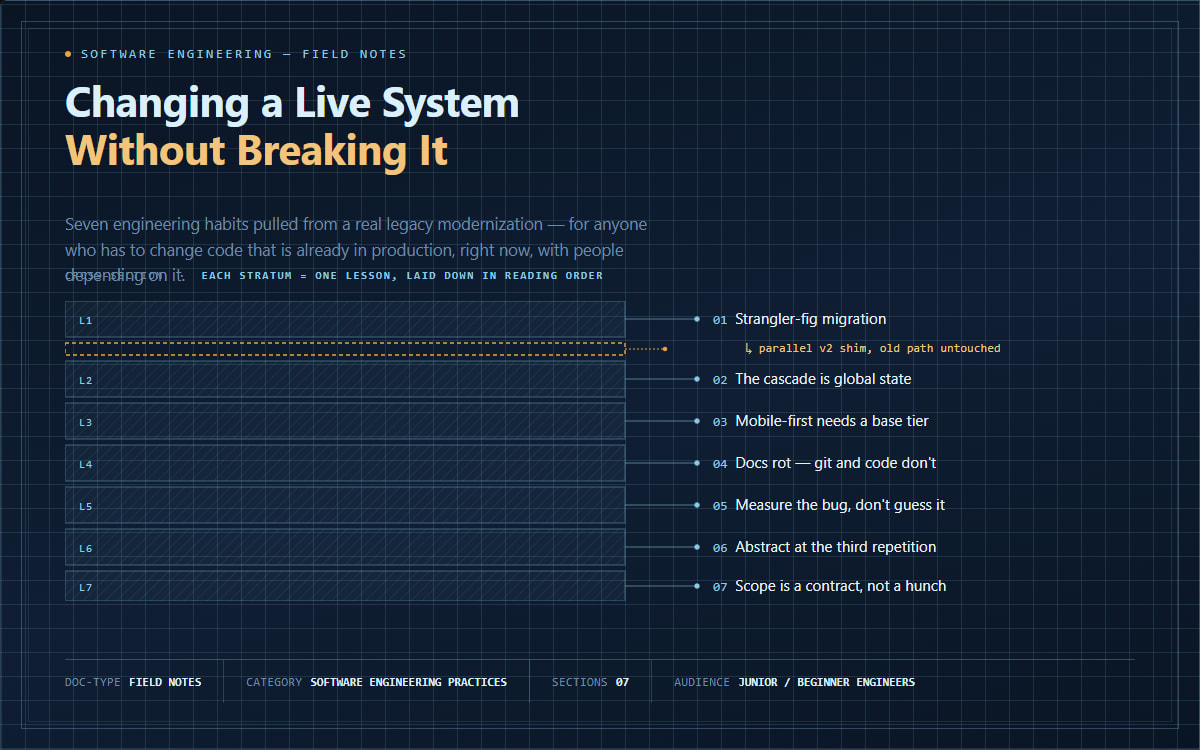
Somewhere between "the code works" and "the code is good" lies a huge amount of engineering judgment that rarely gets written down. It shows up in the small decisions: which file you're allowed to touch, how you prove a CSS bug is really fixed, when to extract a helper function versus copy-pasting one more time, whether a document or the code itself is telling the truth.
This article distills recurring lessons from a long-running modernization effort on a large, server-rendered management platform — the kind of project every mature codebase eventually needs: an old UI layer being incrementally rebuilt on a newer framework, alongside ordinary bug fixes and feature work, all while the system stays live in production. None of these lessons are specific to one stack. They recur in any sufficiently large, sufficiently old codebase.
1. The Strangler Fig Pattern: Migrating Legacy Systems Without a Big-Bang Rewrite
What it is. When a system's underlying technology becomes outdated, one option is the "big bang rewrite" — freeze everything, rebuild from scratch, cut over all at once. The other is the strangler fig pattern, named after a vine that grows around a host tree until the original is no longer needed, without ever chopping it down first. In software: build the new version alongside the old, migrate piece by piece, and only remove old code once its replacement has proven itself in production.
Why it becomes a problem. Big-bang rewrites reliably take longer than estimated, freeze unrelated feature work, and produce one enormous diff that's nearly impossible to review or roll back safely. A subtle regression in a huge cutover can be almost impossible to isolate, because everything changed at once.
Common beginner mistakes. Editing the legacy file in place "just to clean it up," which erases your ability to compare old vs. new behavior and risks breaking pages not yet migrated. Assuming migration must proceed in strict order rather than letting old and new coexist indefinitely. Deleting old code as soon as a replacement exists, before it's proven in production.
Better engineering approach. Never edit legacy files directly — clone into a parallel location (same folder structure), modify the clone, and repoint just that page's import. The original stays as a working fallback and a diffable baseline. New libraries and utilities get the same treatment: a dedicated folder with paired styles and script, never inlined ad hoc into whichever page needed them first.
How to recognize it early. If you're modifying a shared, widely-loaded file "temporarily" during a migration, ask: can this exist as a parallel copy instead? It almost always can, even though it feels like more files to manage.
Broader lesson. Reversibility is a design property you can build in, not an accident. A migration strategy that lets you undo one page's cutover without touching anything else beats one that's faster but all-or-nothing — the same reasoning behind feature flags, canary deploys, and blue-green infrastructure.
2. The CSS Cascade Is Global, Mutable State
What it is. CSS resolves conflicts between competing rules using specificity, and when specificity ties, source order — later rules beat earlier ones. A stylesheet loaded on every page isn't a passive backdrop; it's a rule set that can silently override anything more specific defined later, if the cascade math works out that way.
Why it becomes a problem. Two concrete failures illustrate the category: a compatibility shim applied float: left with no breakpoint restriction, so elements using only a desktop-width column class had no defined behavior at small screens and shrank to fit their content instead of stacking. Separately, an unscoped .d-none { display: none !important; } rule, loaded after the framework's own breakpoint-scoped responsive utilities, won at every screen width — so "hidden on mobile, visible on desktop" classes never revealed anything, and it looked like the framework itself was broken.
Common beginner mistakes. Assuming a class "should" apply because it looks more specific or is simply the one you just wrote, without checking what the browser actually computed. Treating a global stylesheet as safe to patch for one page's problem. Debugging by reading source instead of asking the browser what happened.
Better engineering approach. Treat globally-loaded CSS as high blast-radius — before editing it, ask how many pages load this file; if the answer is "all of them," fix at the point of use instead. Verify with the computed-style panel, not source reading — see exactly which rule won and why.
How to recognize it early. A class with zero visible effect — don't assume a typo first. Check computed style and trace the winning rule; there's usually a competitor you didn't know existed.
Broader lesson. A global stylesheet is functionally a global variable: convenient, dangerous at scale, easy to forget until it silently breaks something three files away.
3. Mobile-First Responsive Design: Why a Missing Base Tier Breaks Everything
What it is. Mobile-first grid systems mean col-md-4 doesn't say "occupy 4 columns" — it says "occupy 4 columns starting at the medium breakpoint." Below that, unless a base-tier class (col-12) says otherwise, nothing defines the width at all.
Why it becomes a problem. Only ever adding col-md-4 leaves small screens undefined. Combined with a legacy rule that floats every column-like element unconditionally, the result is an element that shrinks to fit its content instead of stacking full-width — looking broken despite every class name being technically "responsive."
Common beginner mistakes. Believing a layout is responsive because it uses grid classes at all, without checking the narrowest width. Testing desktop-first and treating mobile as an afterthought, backwards from how mobile-first frameworks are meant to be used.
Better engineering approach. Always pair a breakpoint class with an explicit base-tier class: col-12 col-md-4, never col-md-4 alone. This fails silently otherwise — nothing errors, the page just quietly doesn't work below a certain width.
How to recognize it early. Resize to the narrowest supported width before calling a layout done. An element that shrink-wraps its content instead of stacking is the exact signature of a missing base tier.
Broader lesson. "Mobile-first" is a technical guarantee about class precedence, not a label you get for free. Verify a framework's promises empirically once, then trust the pattern.
4. Documentation Rot: Why Written Plans Drift from Reality
What it is. Any document describing current state starts decaying the moment work happens that isn't reflected back into it — a structural property of documentation, not a moral failing.
Why it becomes a problem. A progress-tracking table had every task marked "not started" regardless of real progress, because it was a template filled in once and never revisited. Separately, two planning documents disagreed about which replacement library to use; only checking the actual deployed files revealed which decision had really been made.
Common beginner mistakes. Treating a document as authoritative just because it's "the official plan." Assuming multiple documents about the same subject agree with each other. Answering "is this done?" by reading a checklist instead of the codebase.
Better engineering approach. Treat documentation as a cached hypothesis, not a live read. Caches go stale — invalidate them by grepping the actual code and checking git log, and give one source explicit precedence when documents conflict.
How to recognize it early. Before acting on a document's specific factual claim, spend thirty seconds verifying it against the running system.
Broader lesson. Code and its history can't lie about what happened the way a stale document can. Documentation is invaluable for intent; for current state, code is ground truth.
5. Empirical Debugging: Measure the Bug, Don't Guess It
What it is. The difference between "I have a theory" and "I have evidence." Treat a bug as a claim to test: form a falsifiable hypothesis, instrument the system, check it — don't apply the first plausible fix and move on once the symptom disappears.
Why it becomes a problem. A layout artifact (a persistent gap and colored line) had a plausible-sounding history — a rule reserving scrollbar space, added to prevent content shift on modal open. It seemed risky to remove. The actual investigation measured a reference element's position before/during/after opening a real modal, with and without the rule, against a known-good production baseline. The framework already compensated for scrollbar width on its own; the "protective" rule was fighting that compensation and causing the permanent artifact. Removing it was correct — proven, not assumed.
Common beginner mistakes. Keeping a "just in case" fix because removing it feels riskier than leaving it. Fixing based on plausibility rather than measurement. Never establishing a known-good baseline to compare against.
Better engineering approach. Reproduce the exact symptom. State a hypothesis specific enough to be wrong. Instrument and measure — positions, computed styles, logs — against a trusted baseline, then decide.
How to recognize it early. If you can't say what you'd observe if your hypothesis were wrong, it isn't a testable hypothesis yet.
Broader lesson. Bugs are claims about behavior, and claims deserve evidence — especially in shared or long-lived code, where an unverified "fix" quietly becomes tomorrow's regression.
6. Abstraction as an Insurance Policy: Wrapper Functions and the DRY Threshold
What it is. Wrapping a third-party library behind a small function of your own means the rest of the codebase depends on your interface, not the library's. A default changes once, in one file, instead of at every call site.
Why it becomes a problem. Under-abstraction means the same setup block gets copy-pasted everywhere, and a needed default change either touches every copy or produces inconsistent behavior. Over-abstraction wraps something before it's used more than once, adding indirection for no real benefit yet.
Better engineering approach. Use a concrete threshold instead of a feeling: once a pattern is genuinely needed in three or more places, extract it. Below that, duplication is cheaper than a wrong abstraction.
How to recognize it early. The moment you're about to copy-paste a setup block for the second time, ask whether a third copy is coming — if clearly yes, extract now.
Broader lesson. An abstraction's value isn't fewer lines — it's fewer places that change together when the underlying thing changes. Ask "if this dependency changes next month, how many files does that touch, with and without this wrapper?"
7. Scope Discipline: The Blast Radius of "While I'm In Here…"
What it is. Keeping a change limited to what was actually asked for, even when you notice something else broken and fixable along the way — at every granularity, from a single file to an entire architectural layer.
Why it becomes a problem. A task scoped as "port a UI pattern from area A to area B" surfaced a genuine bug in area A's own reference files. Fixing A too, without asking, removed the scope owner's chance to decide whether that expansion was wanted — A might feed a different release or be owned elsewhere. At a coarser grain: on a branch scoped to frontend-only changes, a backend bug was fully root-caused and deliberately not fixed there, because backend changes belonged in a different branch regardless of how safe the fix looked.
Common beginner mistakes. Treating "I found it and know the fix" as equivalent to "I'm authorized to fix it now." Assuming a fix is fine because it's obviously correct in isolation, without considering whose context that file sits in.
Better engineering approach. Separate discovery from action. Reporting an out-of-scope issue is always valuable; acting on it needs an explicit yes.
How to recognize it early. Before editing any file, ask: was this named in the request, or clearly required to fulfill it? If not, pause and surface it instead of folding it into the diff.
Broader lesson. Authorization for a task's stated scope isn't blanket authorization for everything a competent engineer notices along the way. Asking first costs a short pause; an unreviewed change bundled into someone else's diff can cost a much larger cleanup later.
Other topics worth their own deep dive
Several more themes surfaced but deserve dedicated treatment rather than a rushed summary: layered architecture and dependency injection (strict data-access/service/web separation with a consistent DI convention); robust format detection (detecting a legacy text encoding from content itself rather than surrounding markup, which can be wrong or missing); defensive query design around soft-deleted data (so a historical record doesn't vanish from reports just because a related account was later deactivated); validation UX and flexbox alignment (why centering a form row breaks the instant one column grows taller from an error message); and documenting a deliberate technical tradeoff (recording why a licensing or architecture choice was made, so it reads as intentional judgment, not an oversight).
Conclusion
None of these seven lessons are exotic — you could look up any of them in five minutes. What separates careful engineering from confident guessing isn't knowing they exist; it's reaching for them automatically at the exact moment a shortcut looks tempting.
One-line takeaway: The engineers who don't break production aren't the ones who never touch risky code — they're the ones who've built small, boring habits that make risky code safe to touch.